Version v2.3.1

The main change in version 2.3.1 is dynamic tables – users can now independently define date ranges and limit the displayed data to a selected period. The feature works across the Overview, Project, Participant, Team, and Teams views. This is a significant extension of analytical capabilities, translating to greater flexibility and control in day-to-day work with data.
The release also brings email address normalization throughout the system – both during login and event collection – eliminating issues caused by case sensitivity. We reorganized the Manage Organization panel into a single tabbed view and introduced a mechanism for automatically hiding increments with extremely inflated values. The release is rounded out with interface and stability fixes.
Below you will find a detailed description of the most important changes.
Dynamic Tables
We significantly expanded the capabilities for working with tabular data across the Overview, Project, Participant, Team, and Teams views.
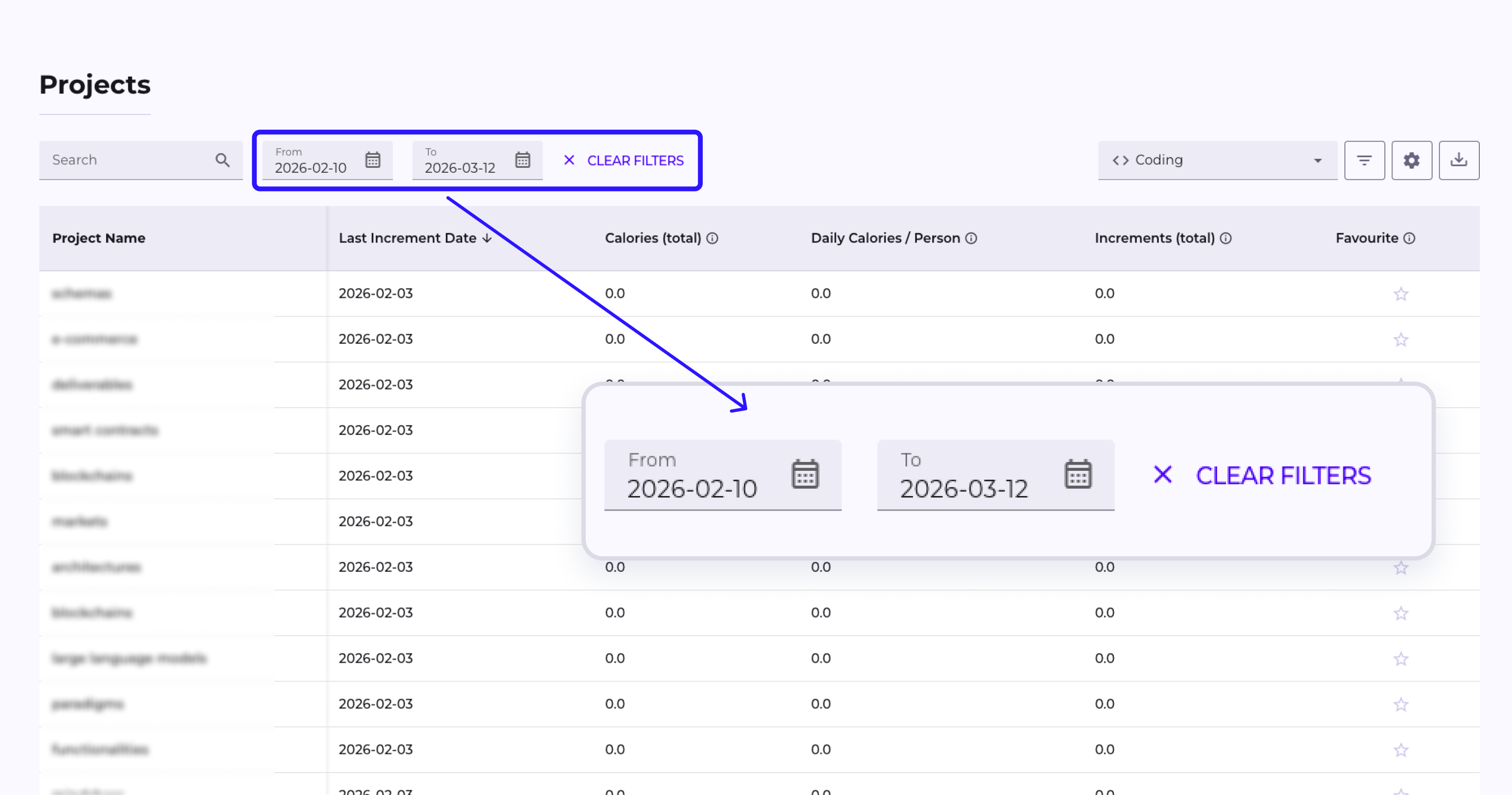
Date Filter
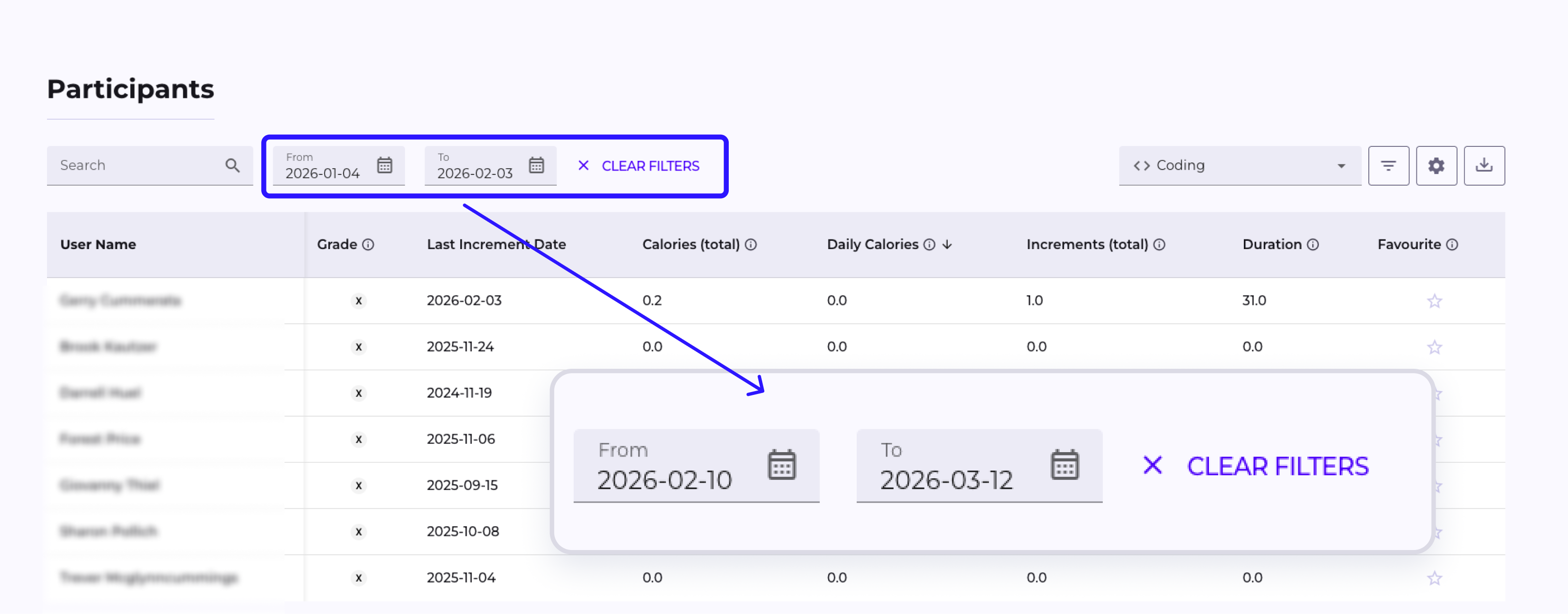
A date range filter (From / To) now appears above the tables, allowing users to narrow the displayed data to a selected period. The filter works in sync with charts – hiding events on a chart also updates the data in the table.
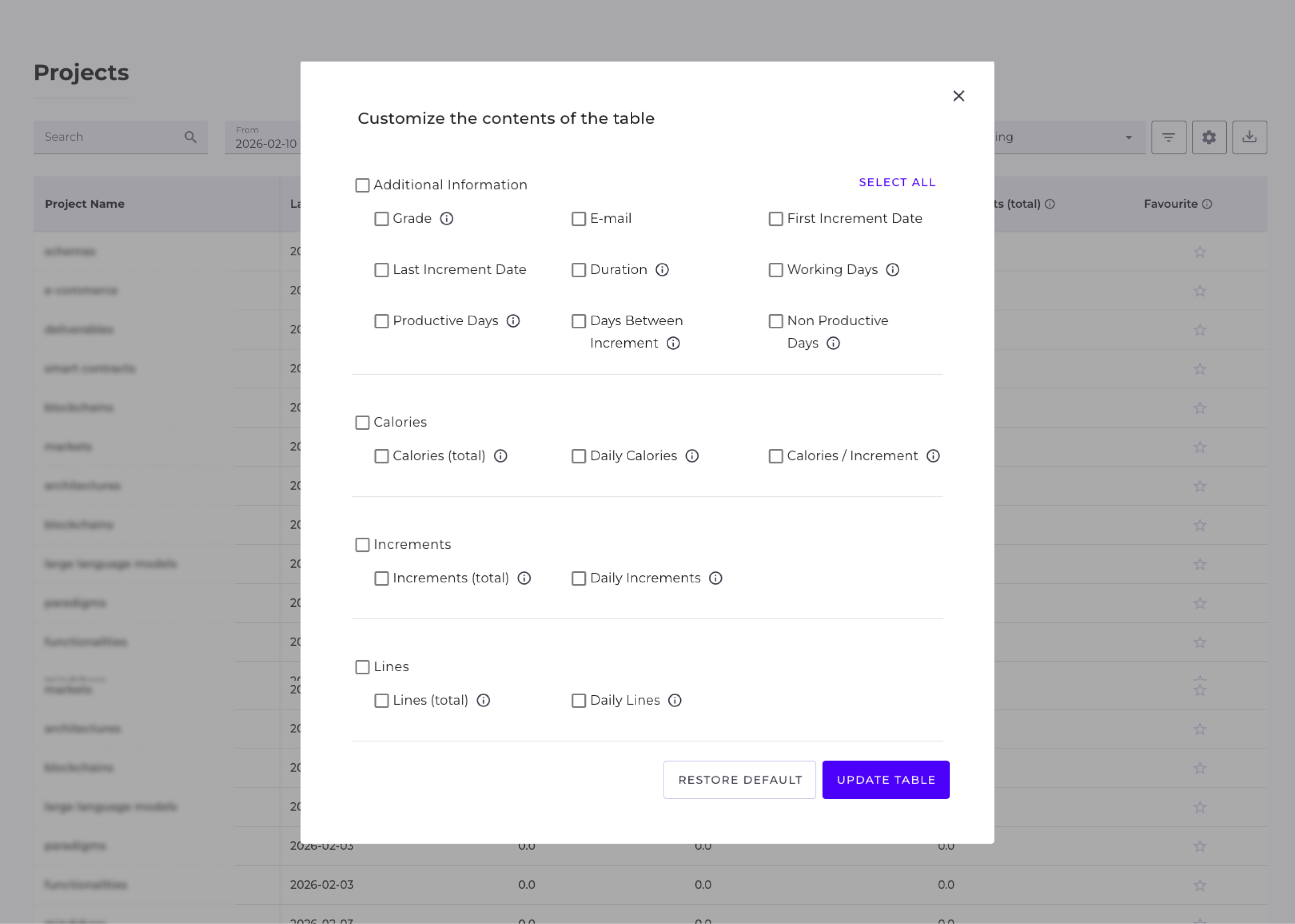
Attribute (Column) Selection
Users can independently decide which columns are visible in the table. The configuration is intuitive and accessible directly from each view.
Email Address Normalization (Case Insensitive)
We unified the handling of email addresses throughout the system – from login, through account creation, to collecting events from repositories.
Login
Email addresses entered during login are now treated without case sensitivity. Entering Jan@Company.com, jan@company.com, or JAN@COMPANY.COM all lead to the same account – the system always recognizes the user correctly.
Account Creation
Newly created accounts – both automatic (e.g. from integrations) and manually created by an administrator – are immediately registered with the email address in lowercase format. This eliminates situations where the same person appeared as separate accounts in the system due to different letter casing in the address.
Event and Commit Collection
When scanning events from version control systems, the author's email address is saved in lowercase format. As a result, commits and events are correctly assigned to existing accounts, regardless of how the address was recorded in the source.
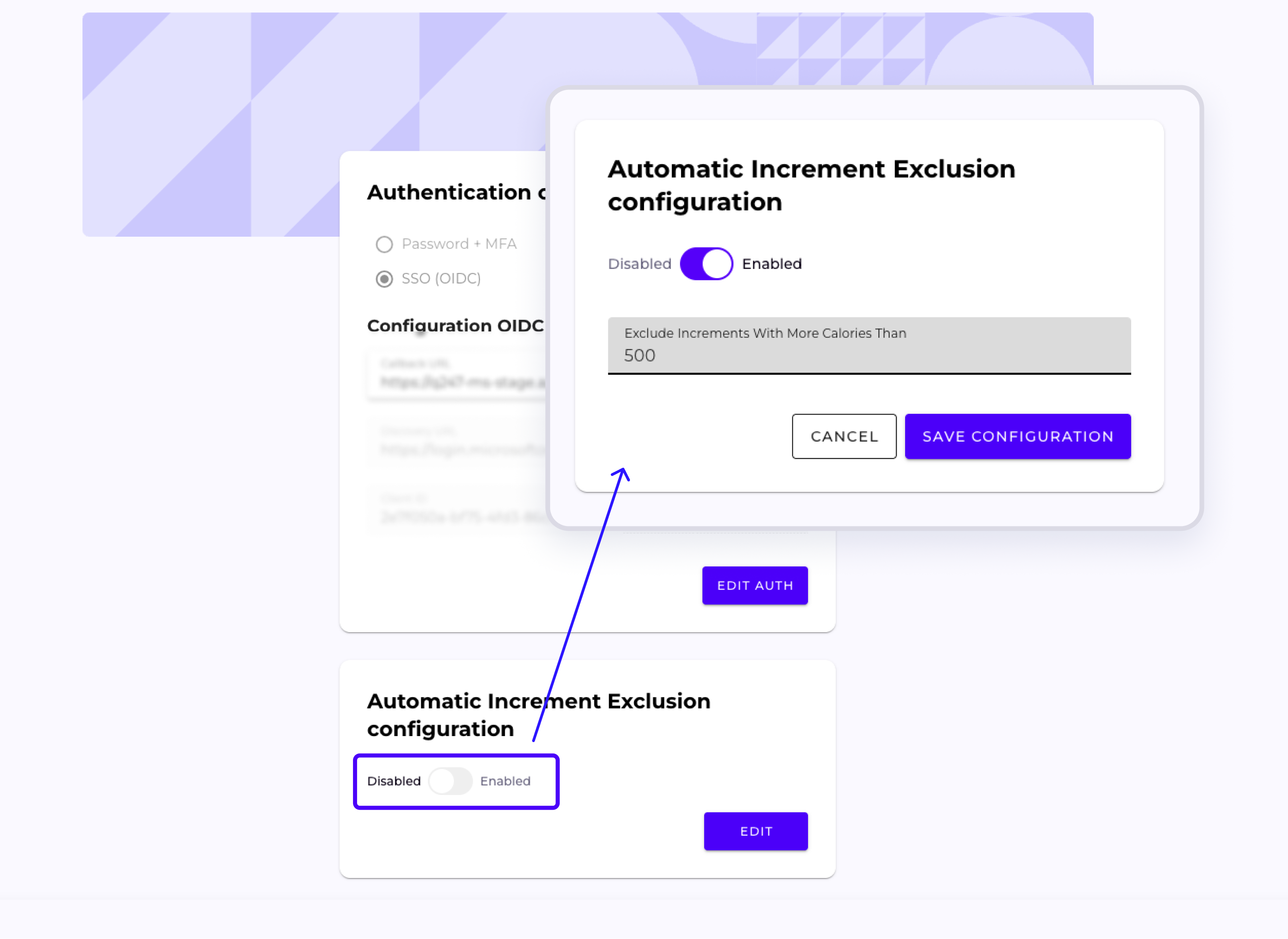
Automatic Hiding of Increments
An administrator can now configure a calory threshold above which an increment is automatically hidden. This mechanism allows the elimination of increments with extremely inflated values without manual intervention.
Organization Management in a Single View
Previously, the Manage Organization section was divided into separate subpages accessible from a submenu.
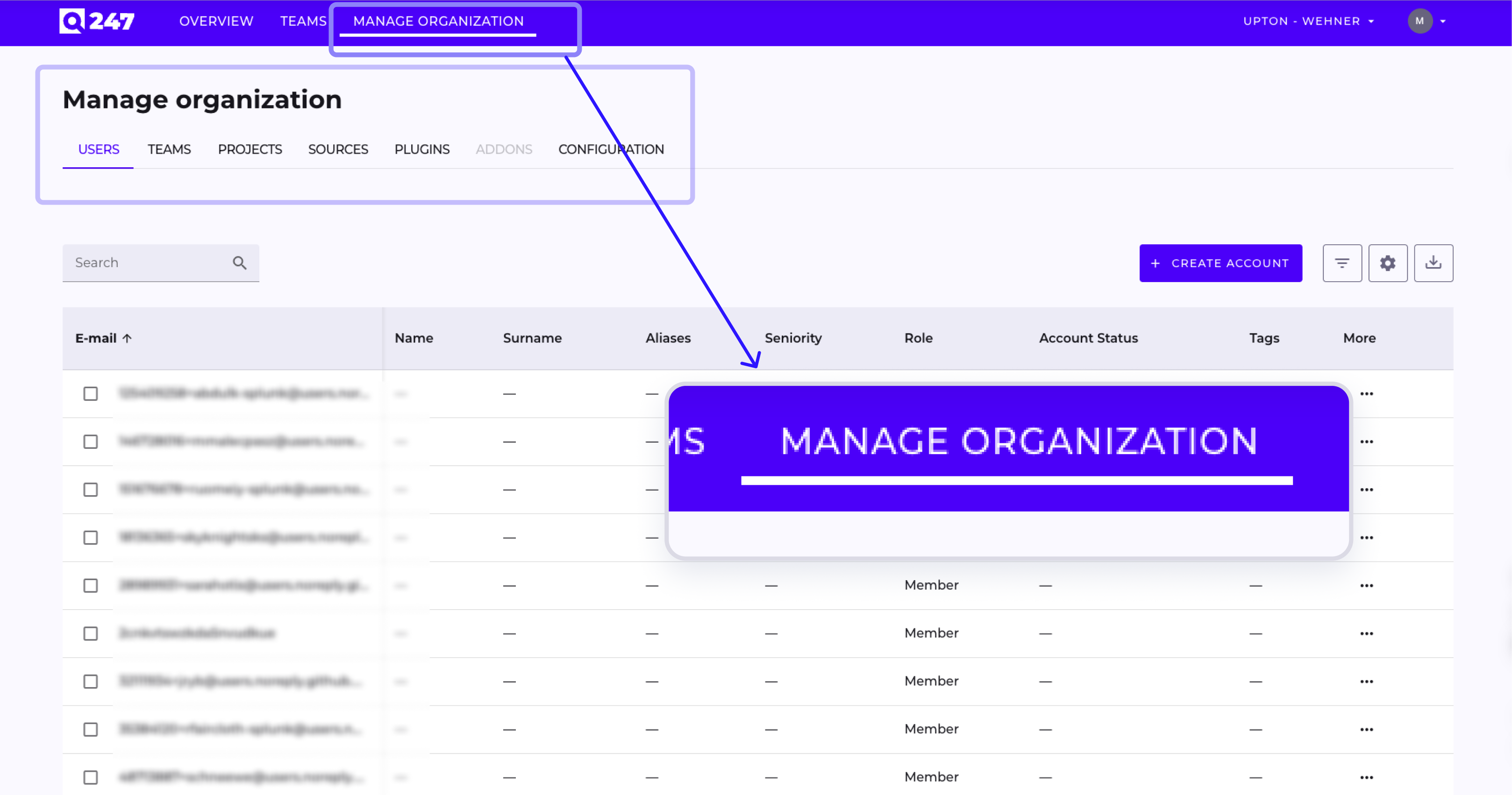
In version 2.3.1, all views have been consolidated in one place and are accessible via tabs:
- USERS – user management
- TEAMS – team management
- PROJECTS – project configuration
- SOURCES – repository and data source management
- PLUGINS – plugins
- ADDONS – extensions
- CONFIGURATION – organization settings
Navigation is faster and more transparent – all administrative options are available at a single address.
Fixes and Improvements
Release 2.3.1 includes a number of user interface fixes and bug fixes reported after the previous version. We continue the process of systematically improving the application, enhancing visual consistency, component behavior, and view stability.