Version v2.6.0

Version 2.6.0 introduces workflow metrics: lead time and cycle time. These metrics show how quickly tasks move from creation to completion. They are visible on every project's card and in the project list on the Overview page. Organizations can define what marks the start and end of the work cycle, and which task types are included in the metrics. We are also introducing an organization-wide calendar of holidays and working hours. Date range selection has been unified across the application: a single, remembered selector in the top bar replaces separate filters on every page.
Below you will find a detailed description of the most important changes.
New Features
Workflow Metrics: Lead Time and Cycle Time
Lead time shows how long a task's journey takes from creation to completion. It reflects how long the business waits for a result from the moment a need is reported. Cycle time shows the pace of the work itself: the time from when a task is actually picked up to when it is completed. Both metrics are calculated from data in the organization's ticketing system. Results are given in business days as a median. The metrics are visible on every project's card and as new columns in the project list on the Overview page.
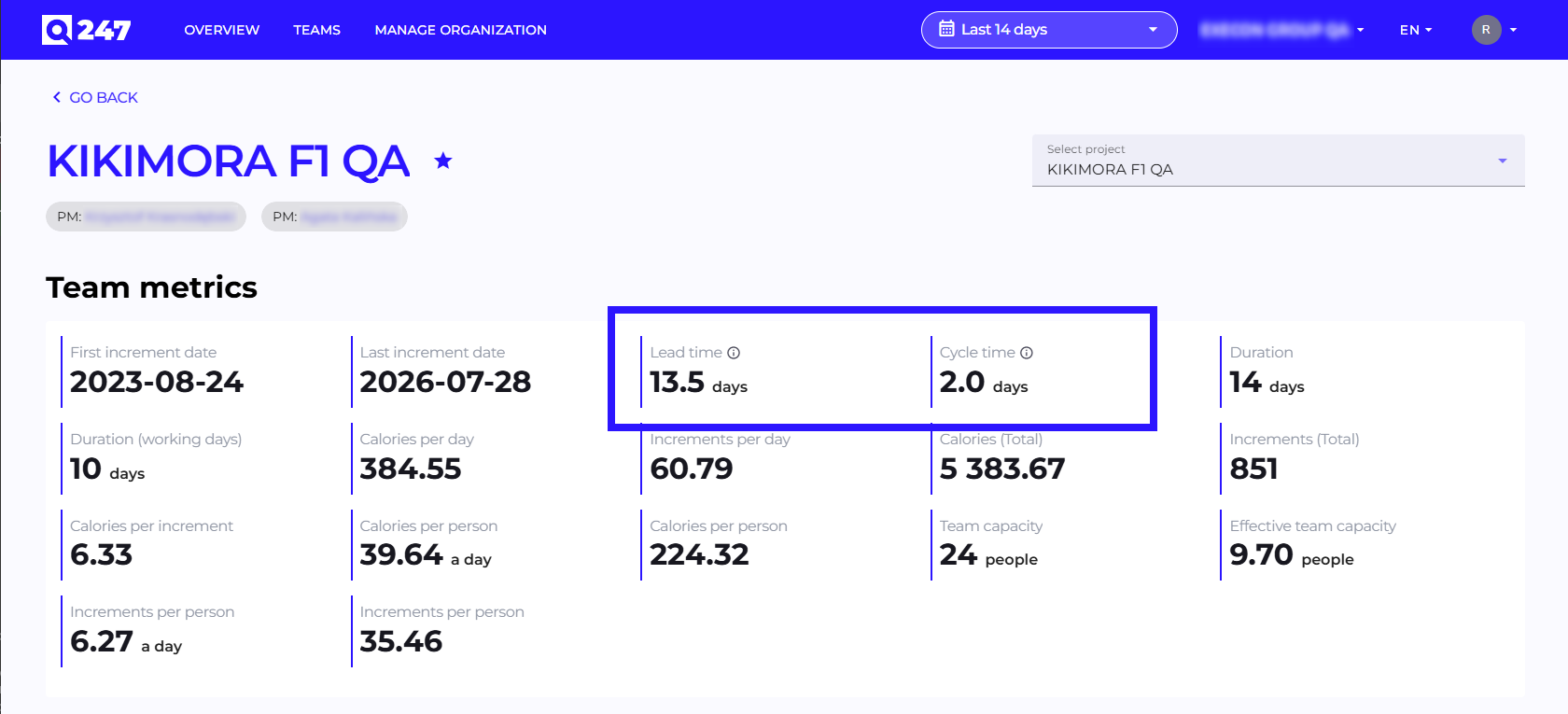
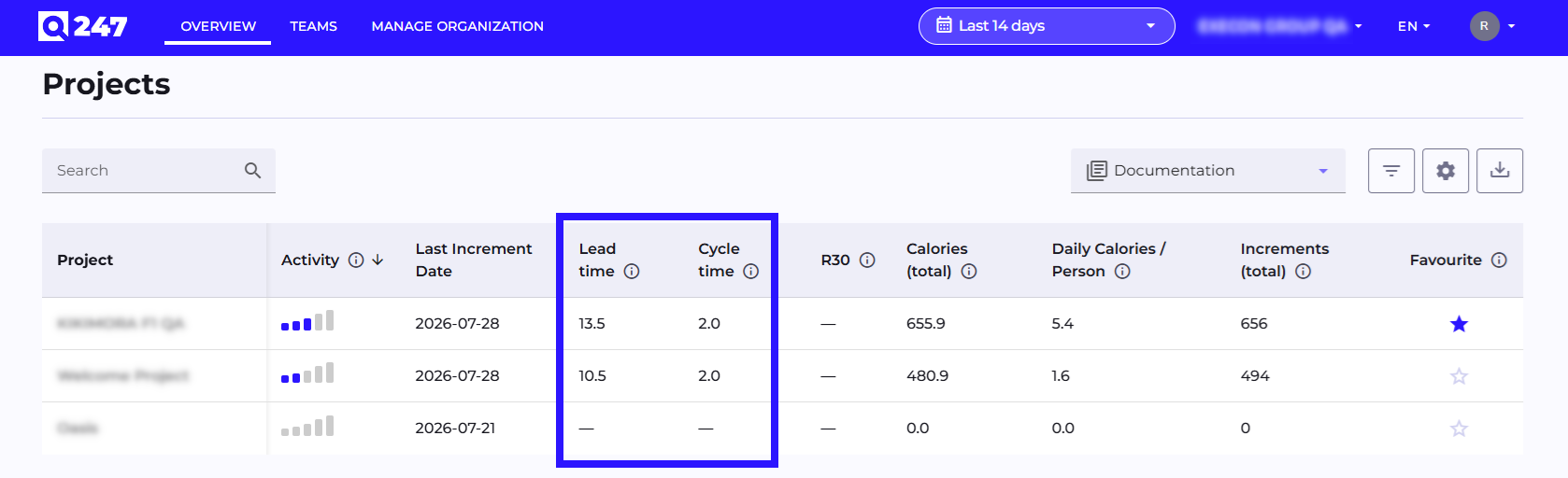
This gives the organization ongoing visibility into actual delivery time and team pace, without manual counting in spreadsheets or separate workflow-analysis tools. It also makes it easier to spot where delays are building up in the process. In Manage Organization, administrators can define what marks the start of lead time (by default, ticket creation) and cycle time (by default, the moment work is picked up), as well as which task types should be included in the metrics.
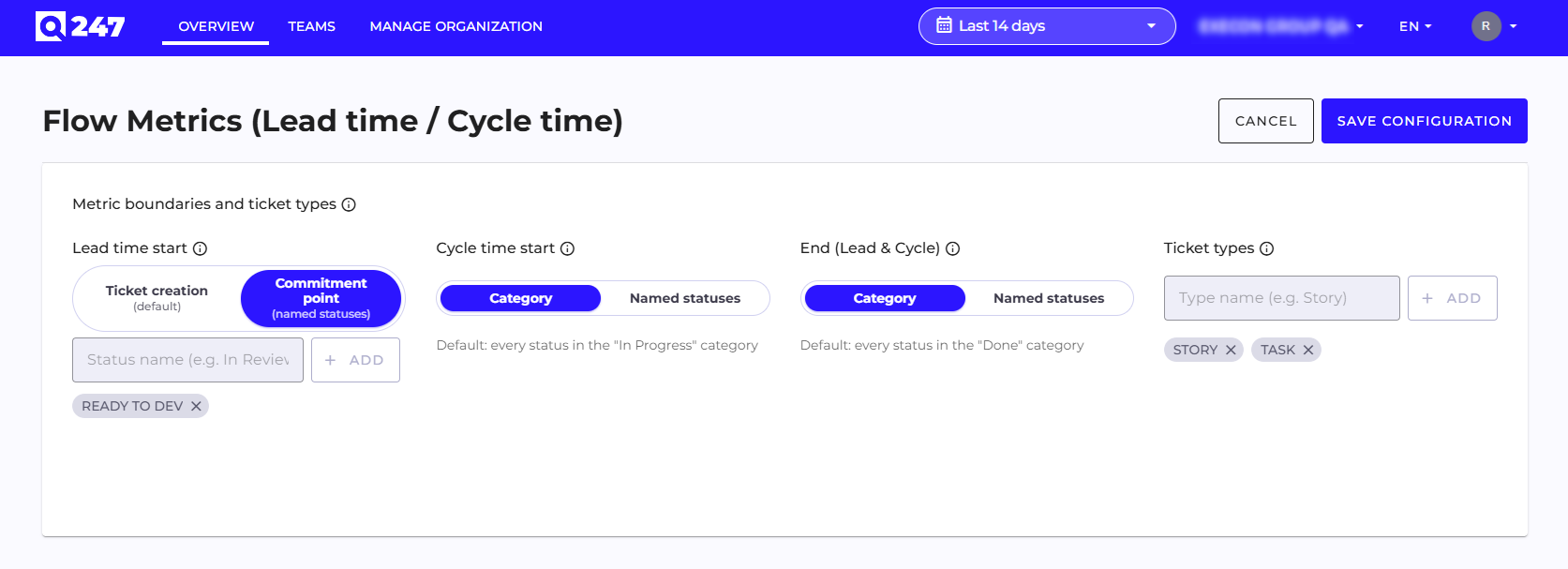
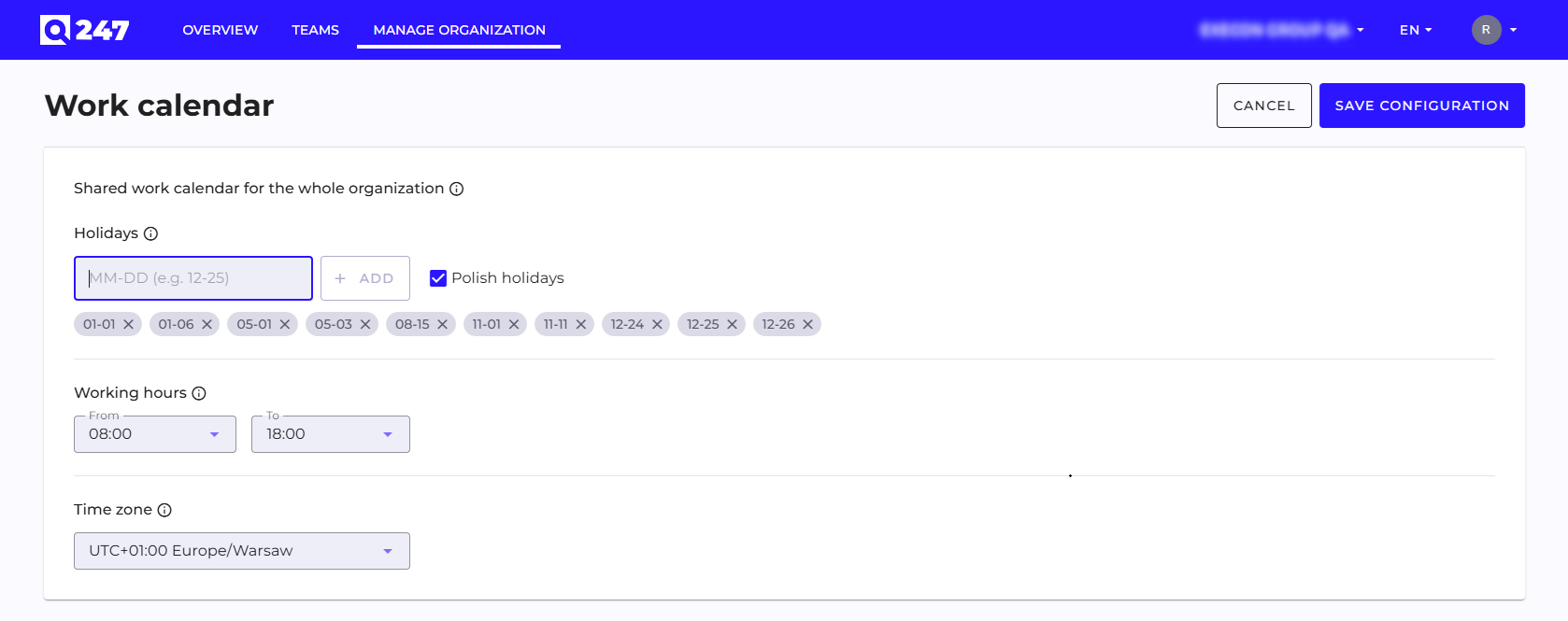
These settings can be overridden at the level of an individual project. Alongside this feature, we are also introducing an organization-wide calendar of holidays and working hours. The new metrics take it into account right away, and we will progressively switch existing statistics calculated in business days over to it in upcoming releases. Data for these metrics is collected from the moment the Enterprise Plugin is updated.
Global Date Range Selector
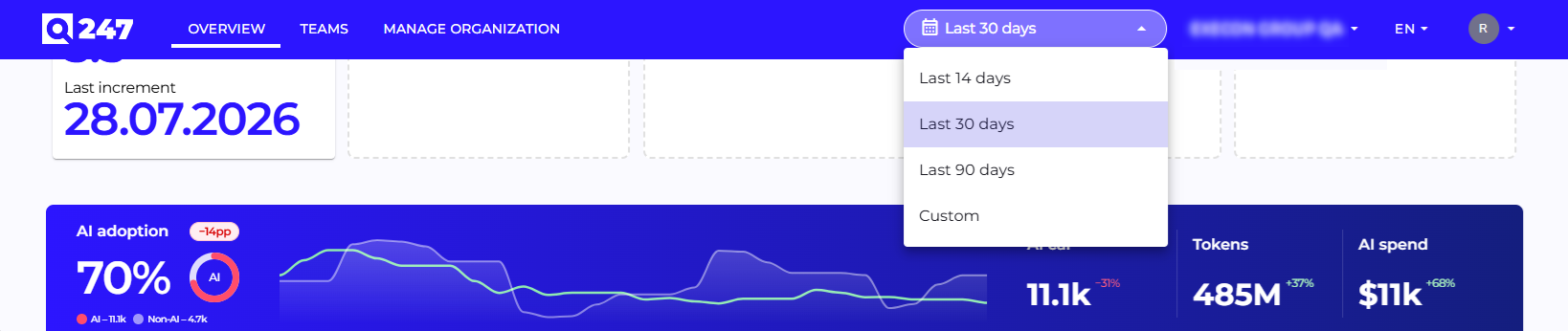
Date range selection has been unified across the application. A single selector in the top bar, next to the organization switcher, replaces separate filters on every page. You can quickly pick the last 14, 30, or 90 days, or set a custom range. The selection is remembered when navigating between views and after logging back in.
Improvements
Unified look and behavior across the interface: consistency fixes covering the table edit pop-up, the project manager assignment pop-up, the account edit layout for long team names, the Delivery Tracker chart when there is no data in the selected date range, and the appearance of dropdown lists in the top bar.
Performance and Stability
Improved stability of the Overview view and statistics views under heavy load.