GitHub
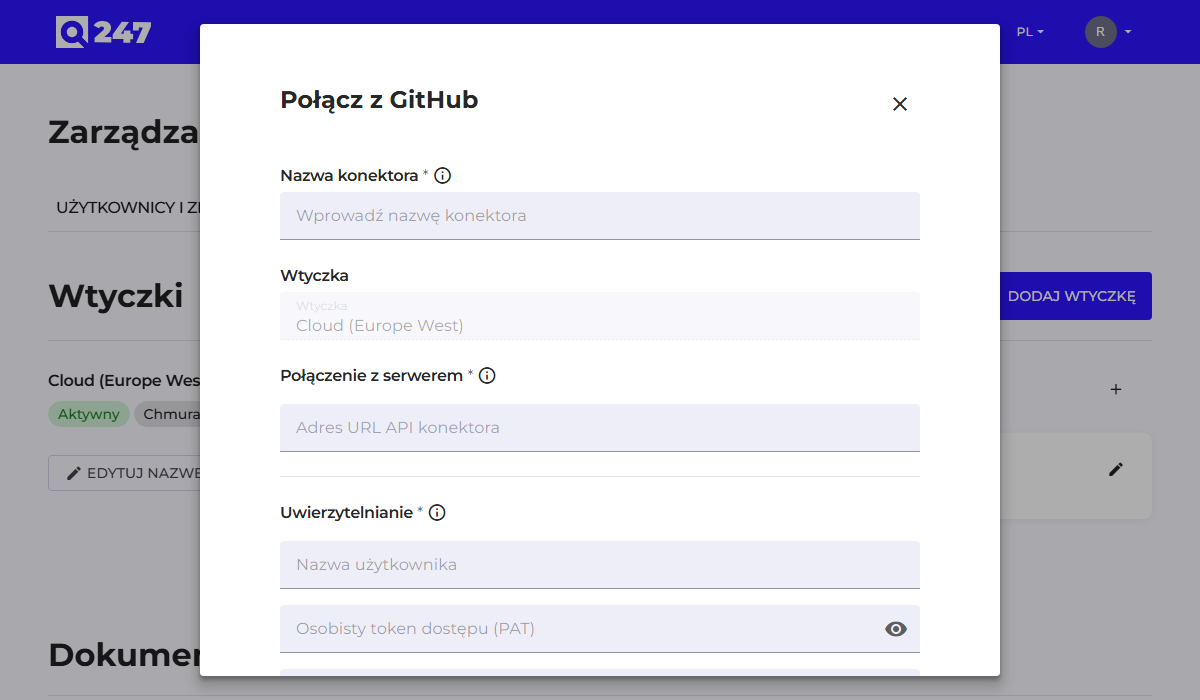
Standard connector form, described in general in Connectors. Both github.com and GitHub Enterprise are supported.
| Field | What to enter | Example |
|---|---|---|
| Connector API URL | the instance's API address | https://api.github.com or https://github.company.com/api/v3 |
| Username | the login of the account the token was generated on | q247-service |
| Personal access token | a token with permission to read repositories | ghp_xxxxxxxx or $$GITHUB_TOKEN |
| Organization ID (optional) | the organization's name, when scanning should be limited to it | firma |
The Organization ID field is optional here. Without it, the connector will discover all repositories the service account has access to. Providing an organization narrows the scope, which is useful when the account belongs to several organizations at once.
The username and token can be entered directly, or you can point to an environment variable on the plugin host, using the notation $$GITHUB_TOKEN. This second option keeps the credential outside the Q247 database, and is described in more detail in Connectors.
The token is generated in the GitHub account settings, in the Developer settings section. Read permission for repositories is enough. For a classic token, that corresponds to the repo scope limited to read; for a fine-grained token, the Contents permission at Read-only level.
See also
- Connectors: the common form, token permissions, statuses
- Running code analysis: what to do after saving the connector