GitLab
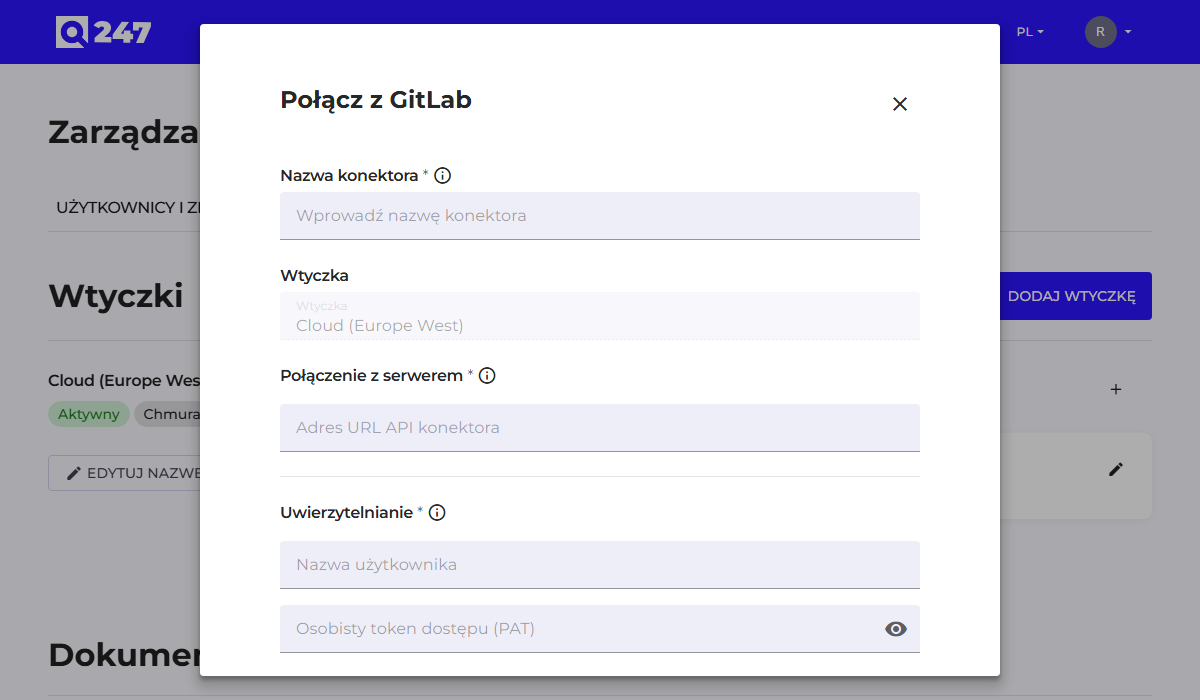
Standard connector form, described in general in Connectors. GitLab instances from version 14 onward are supported, both self-hosted and gitlab.com.
| Field | What to enter | Example |
|---|---|---|
| Connector API URL | the instance address with the /api/v4 suffix | https://gitlab.company.com/api/v4 |
| Username | the login of the account the token was generated on | q247-service |
| Personal access token | a token with read scopes | glpat-xxxxxxxx or $$GITLAB_TOKEN |
Omitting the /api/v4 suffix in the address is the most common mistake with this connector, and shows up as an Error status.
Both credential fields accept, instead of a value, an environment variable name with the $$ prefix, for example $$GITLAB_TOKEN. In that case, only the variable name is saved in Q247, and the token stays on the plugin host; the rules and pitfalls of this notation are described in Connectors.
The token is generated in GitLab, in the user settings, in the Access Tokens section. The required scopes are read_user, read_api and read_repository. If the instance uses groups, the account must belong to all the groups whose repositories are to be analyzed.
See also
- Connectors: the common form, token permissions, statuses
- Running code analysis: what to do after saving the connector